Vision-Guided Robotic Ball Sorting
2026
RBE 3001 final project: an OpenMANIPULATOR-X arm that finds and sorts colored balls using a fisheye camera, HSV color detection, and inverse kinematics in MATLAB.
Final demonstration and walkthrough of the camera calibration, ball detection, and sorting sequence
About this project
This was our team's final project for RBE 3001 at WPI, completed as Team 2-9. The goal was to place colored balls anywhere within the board's working area and have the robot find them, pick them up, and sort them by color.
We used an OpenMANIPULATOR-X, a four degree of freedom arm with a gripper, and a fisheye camera looking down at a checkerboard workspace. The checkerboard gave the camera and the robot a shared reference. Our MATLAB code connected the image processing to the arm's motion, turning a ball's position in an image into a physical pickup location.
What we built
Camera calibration and coordinate mapping (MATLAB)
- Fisheye image correction and checkerboard-based camera pose estimation
- A transformation from image pixels to millimeters in the robot's base frame
- A correction for the ball's height above the checkerboard, so the gripper targets the ball's actual position
Color detection and sorting
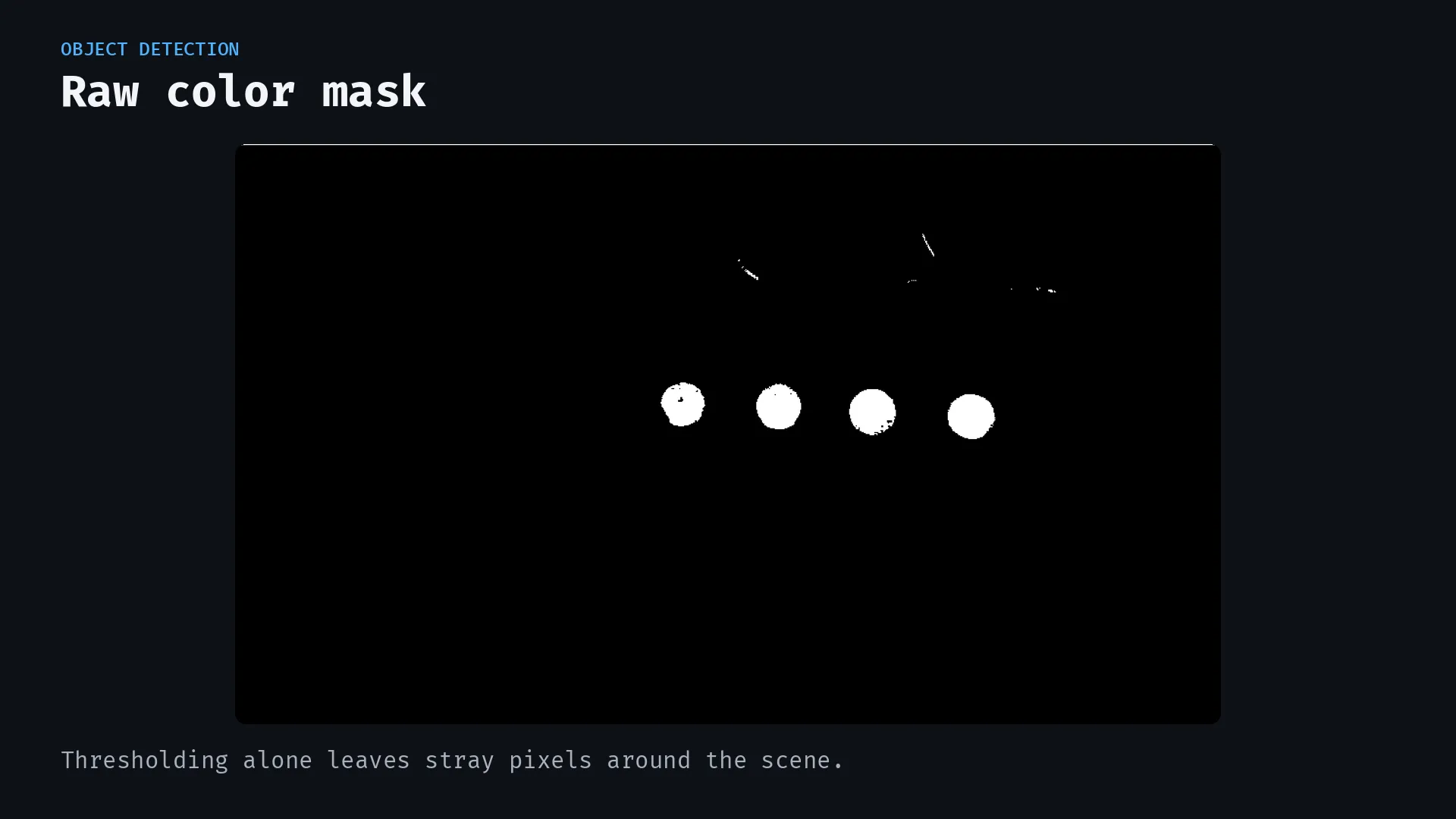
- A workspace mask and separate HSV thresholds for red, yellow, green, and orange
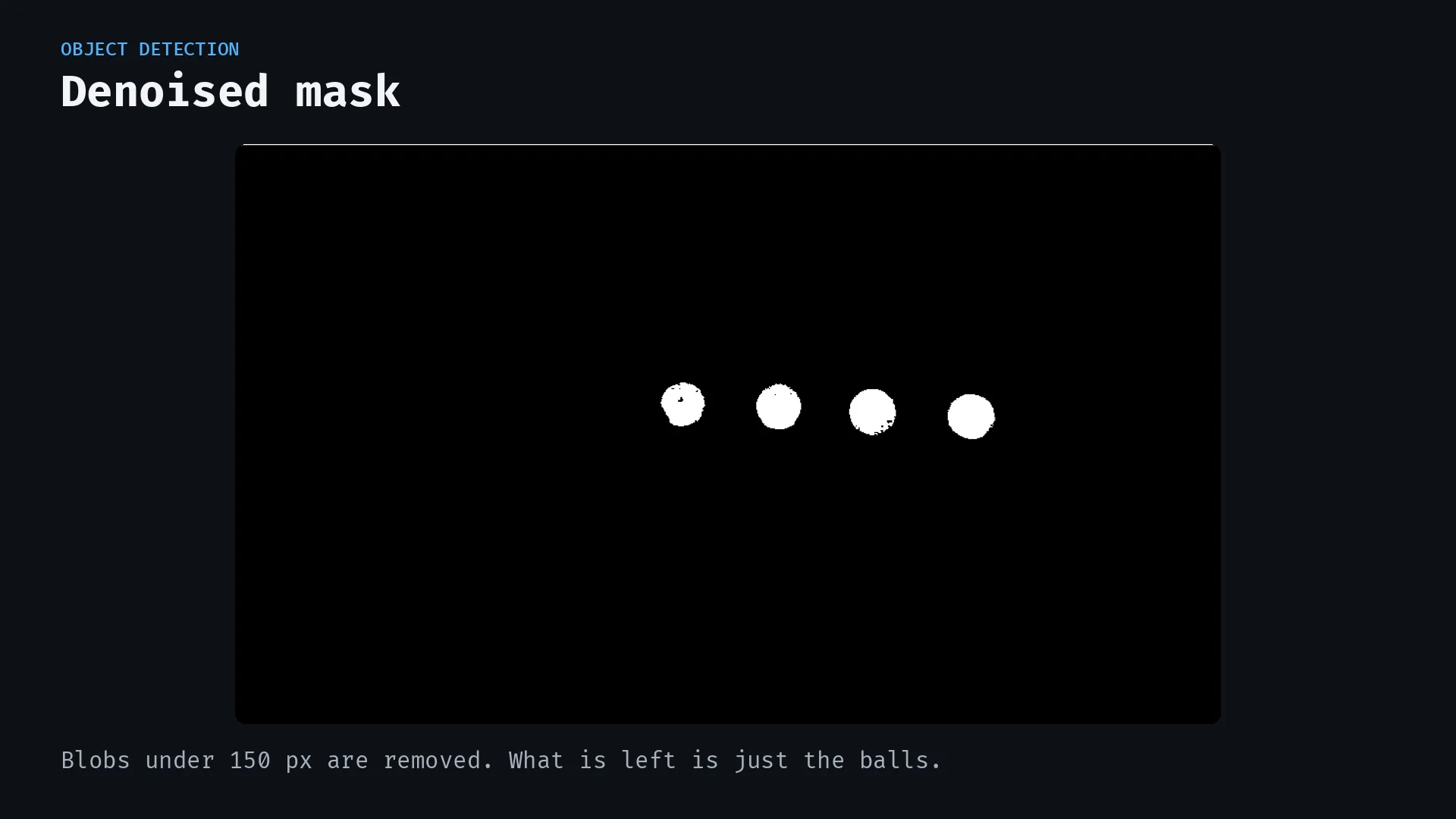
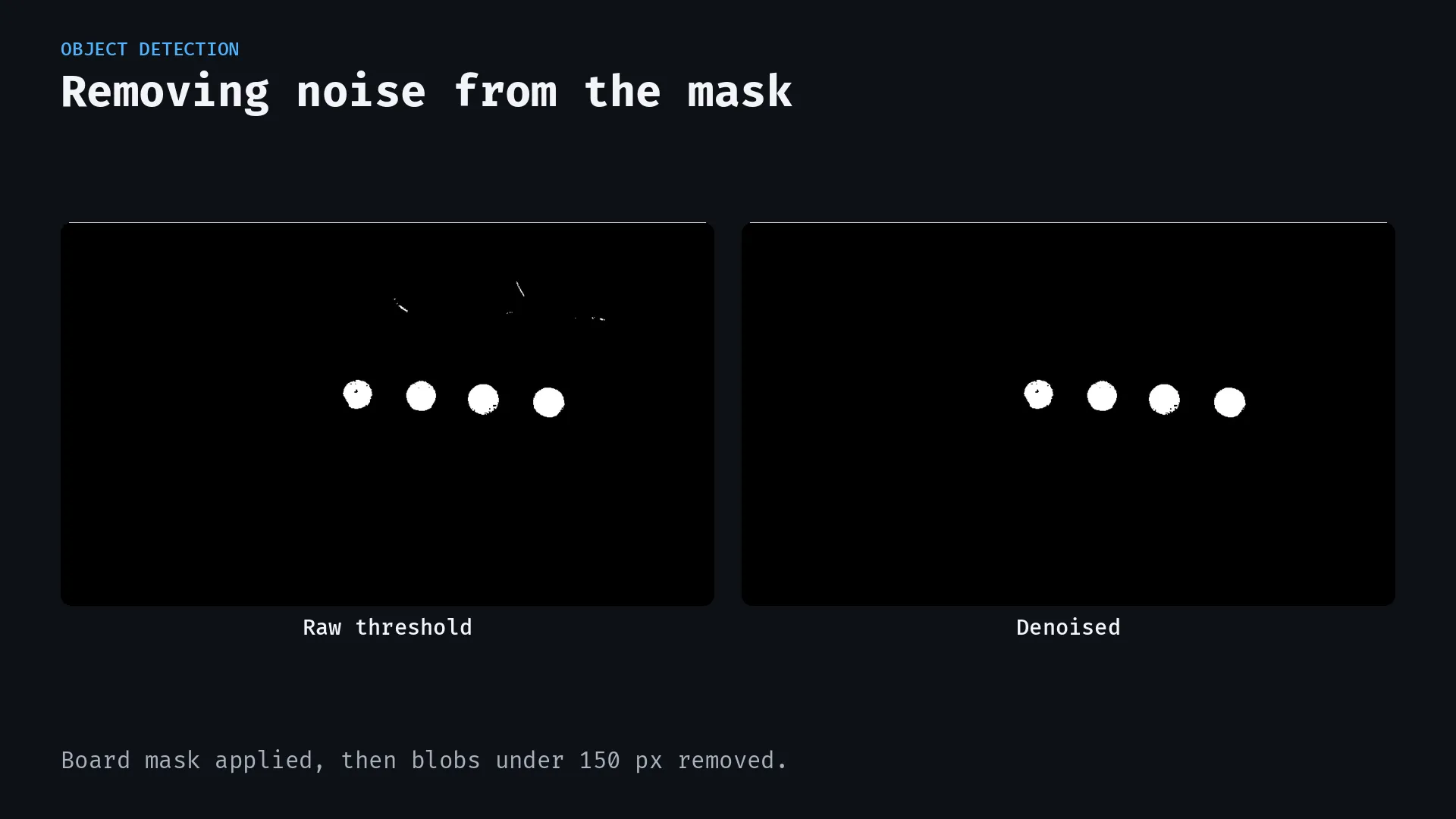
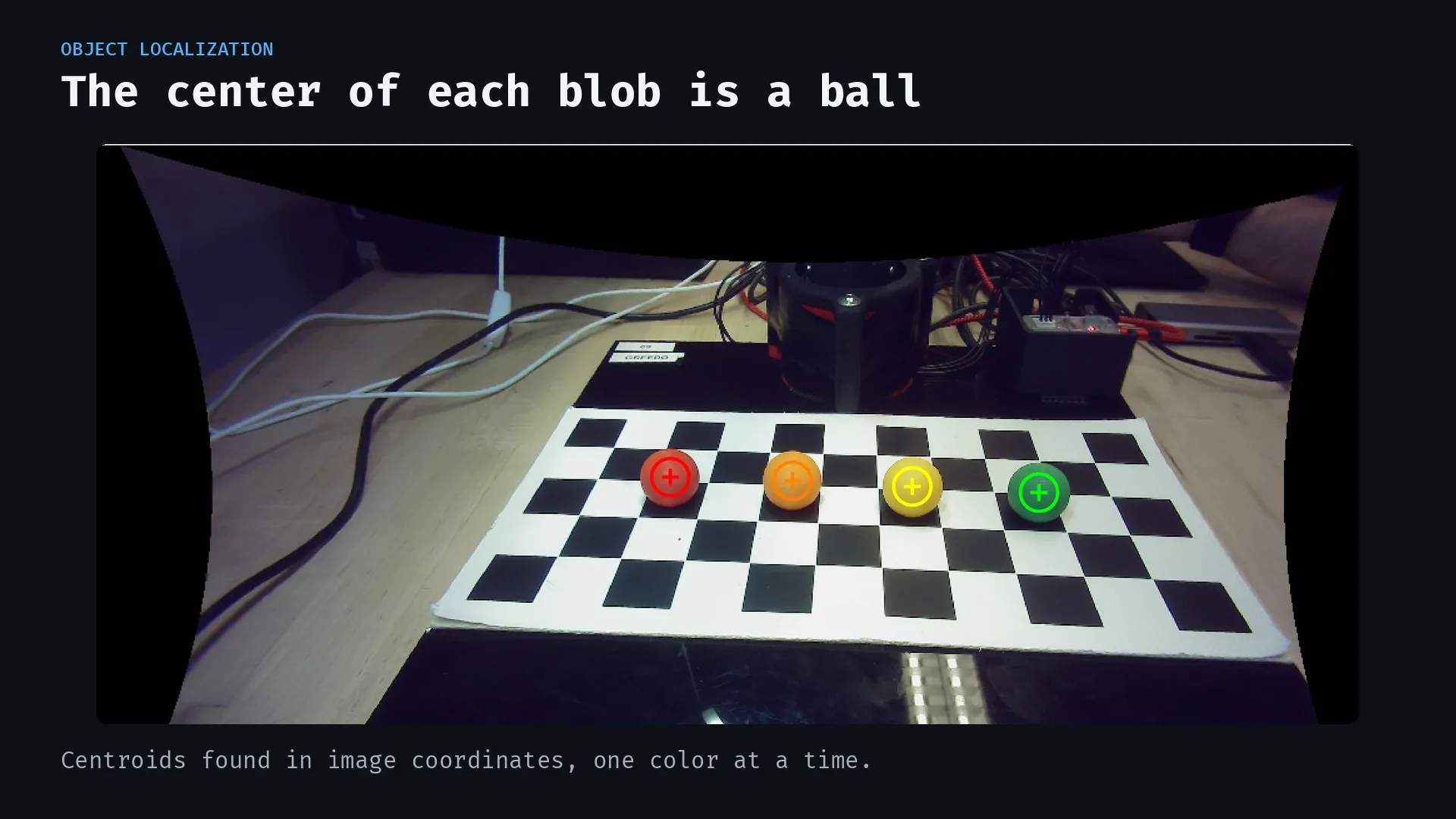
- Small-blob filtering and centroid detection to identify pickup targets
- A sorting loop that captures a new image after each pickup and delivery
Arm motion and gripper control
- Geometric inverse kinematics with elbow-configuration and joint-limit checks
- Cubic task-space trajectories, with quintic interpolation also supported
- A pick-and-place sequence with vertical approach and lift motions, color-specific bin positions, and a retreat waypoint to clear the bins
Getting from pixels to robot coordinates
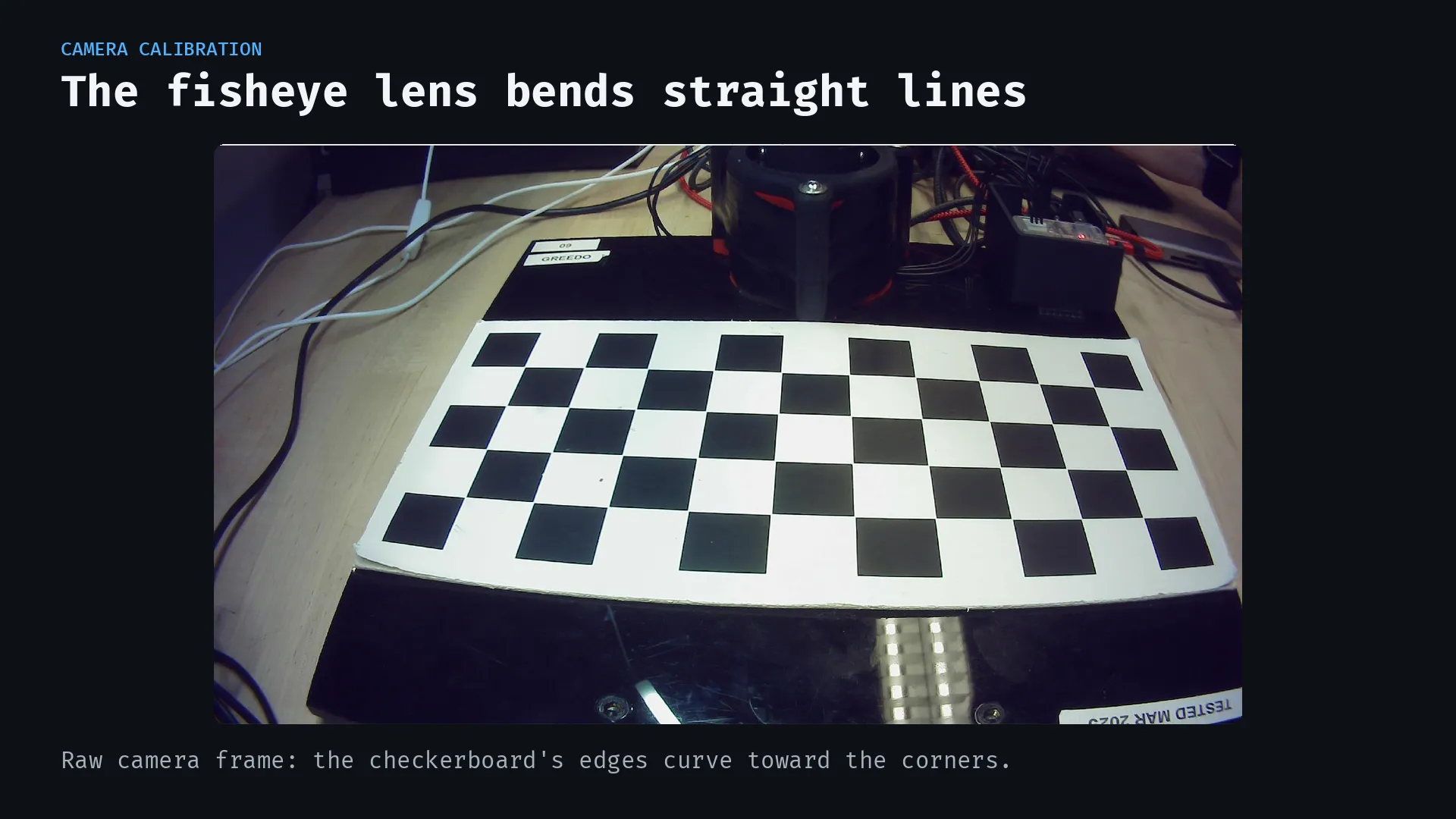
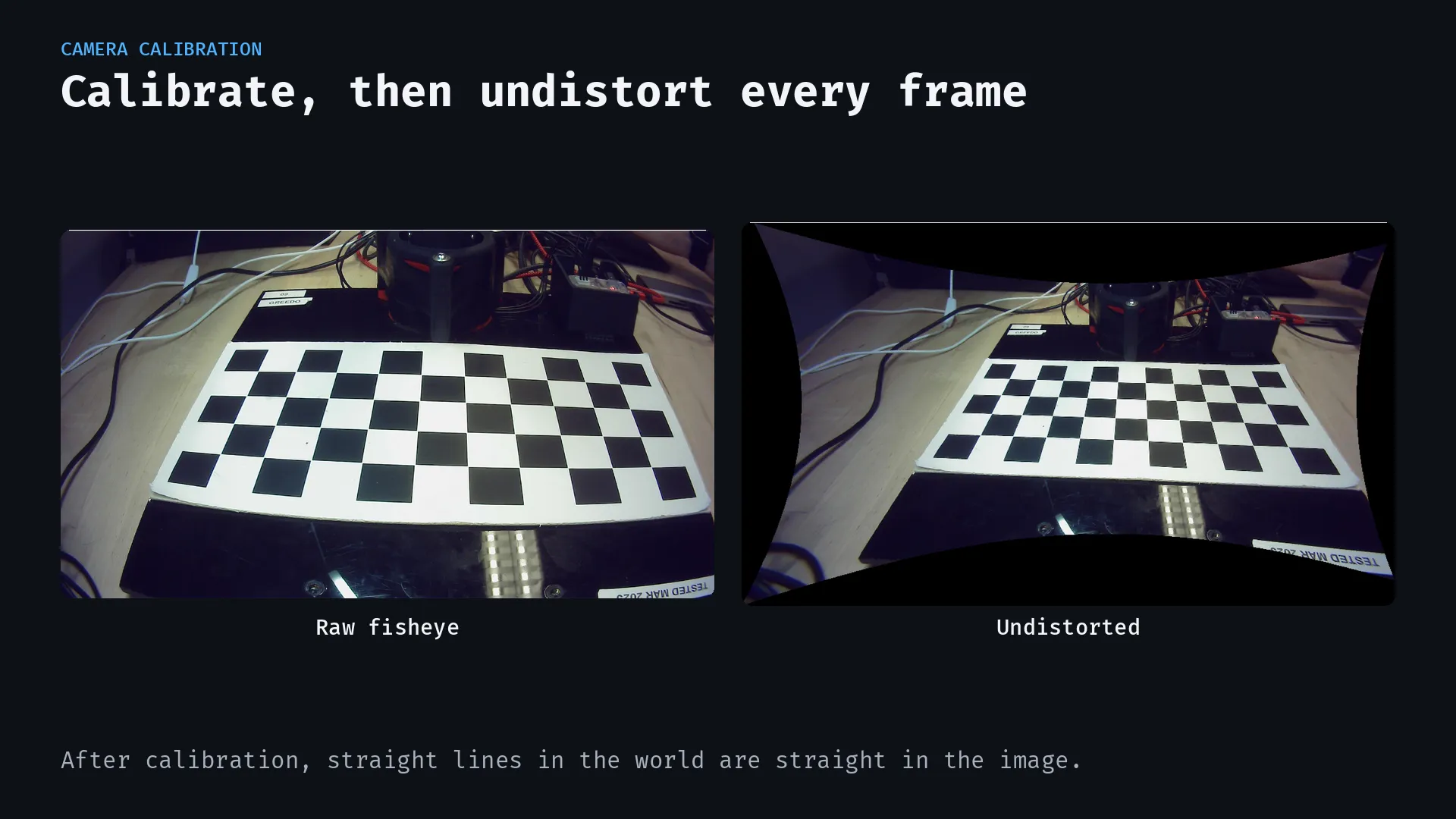
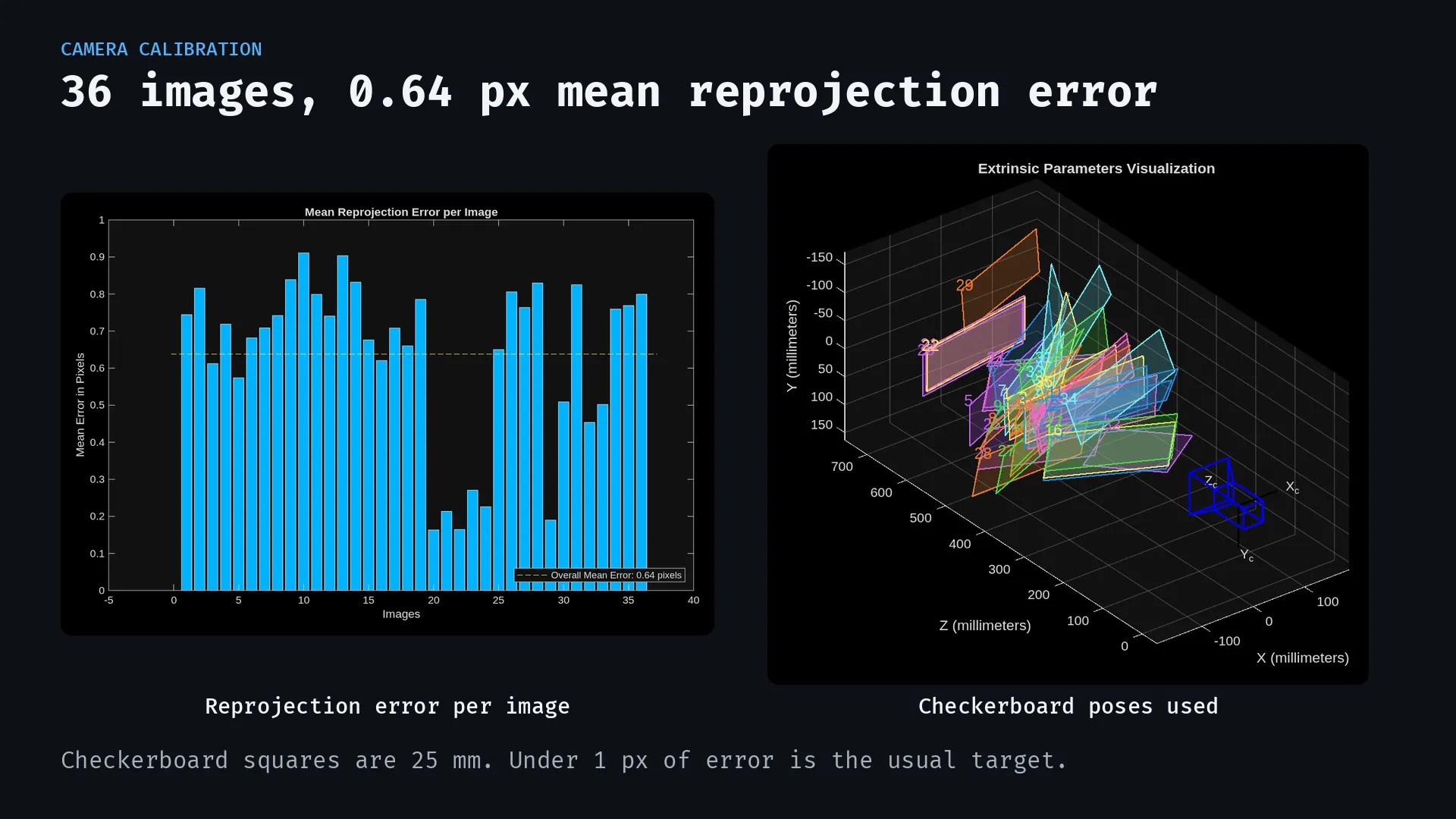
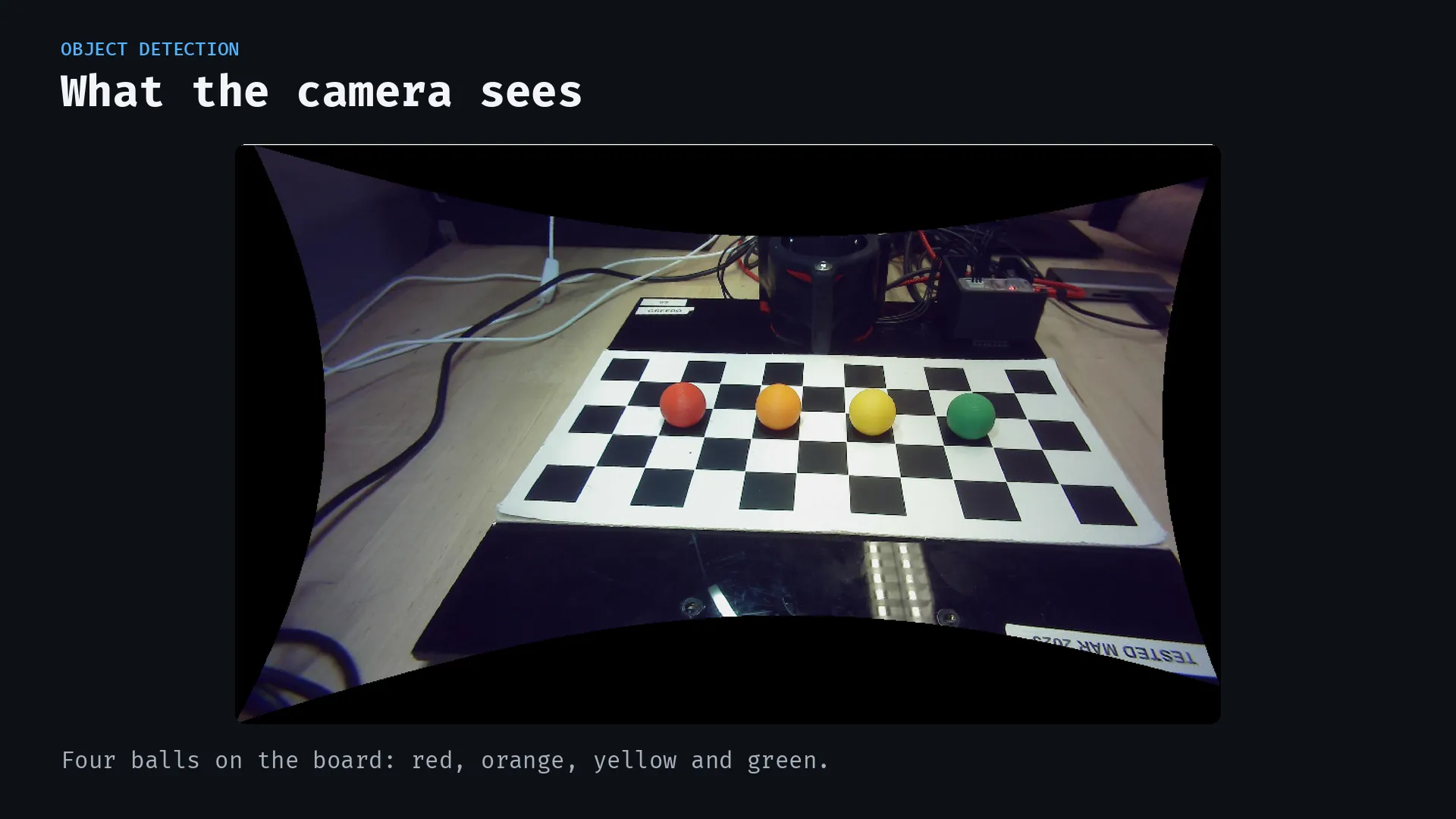
The fisheye lens gives a wide view of the workspace, but it also bends straight lines. We calibrated the camera with 36 checkerboard images, achieving an average reprojection error of about 0.64 pixels, below the one-pixel target. Each new frame is undistorted before we use it to locate the balls.
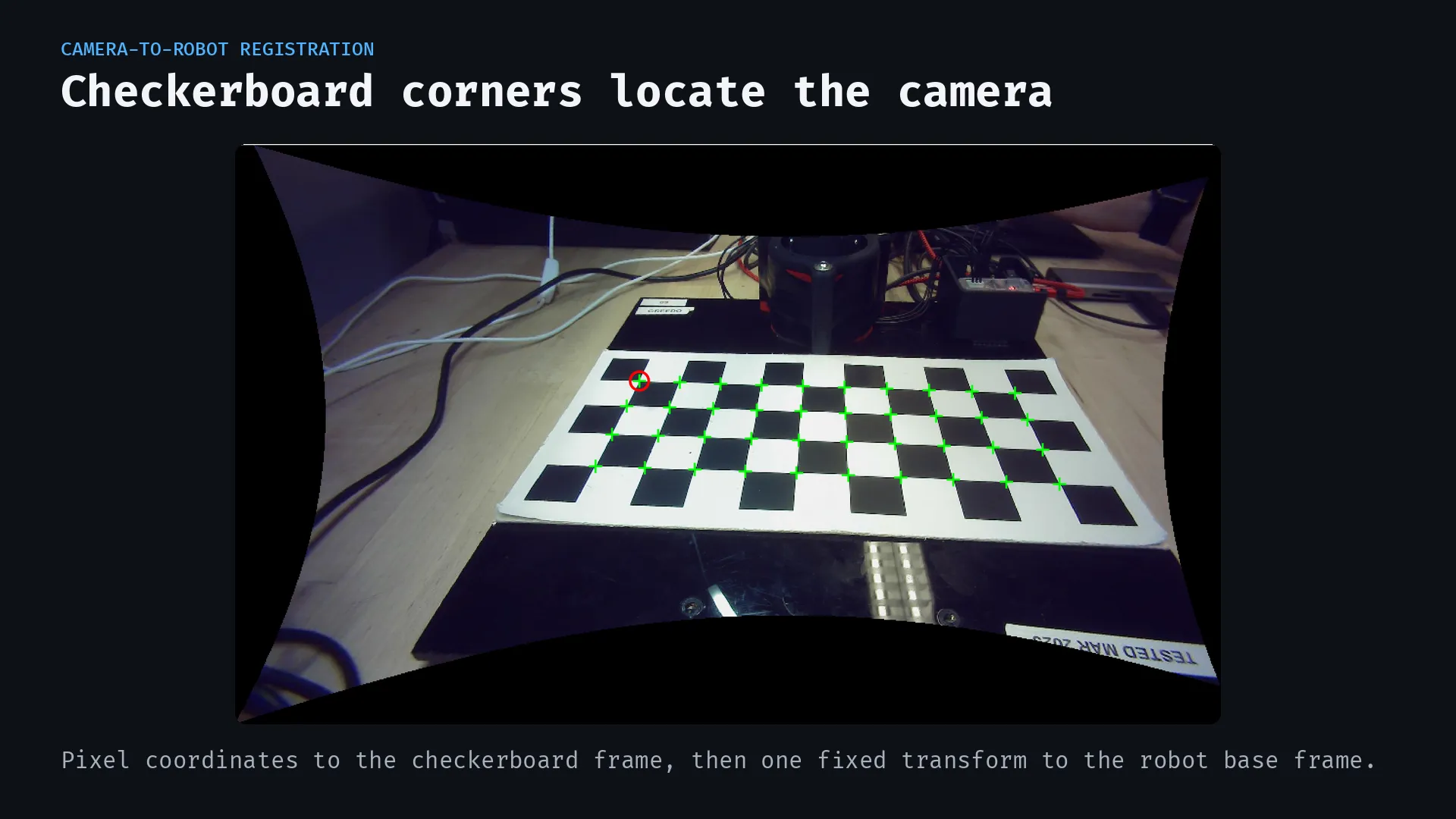
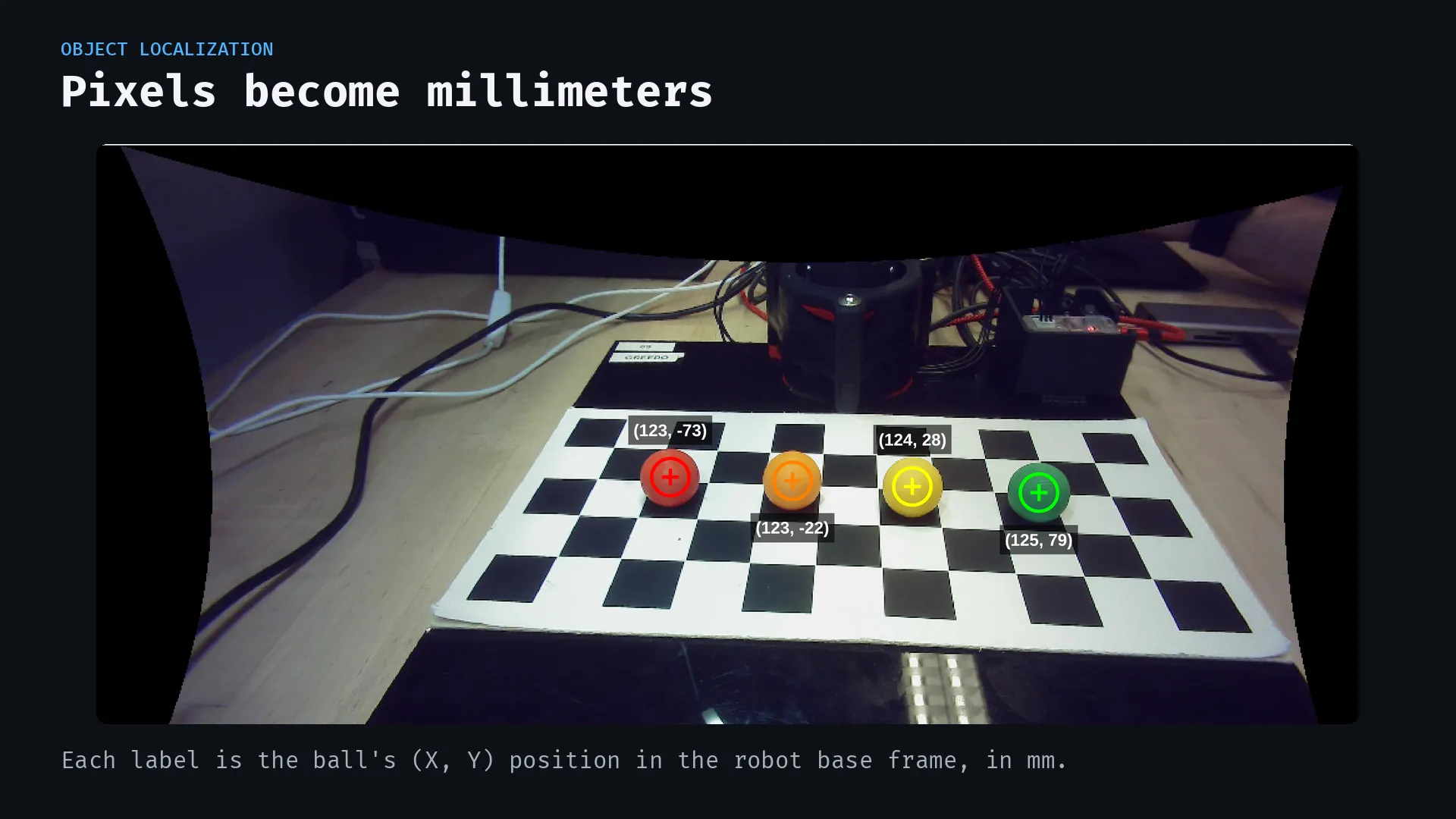
Detecting the checkerboard corners gives us the camera's pose relative to the board. We then convert image coordinates into positions on the checkerboard and apply a fixed transformation into the robot's base frame. That gives the arm a target in millimeters.
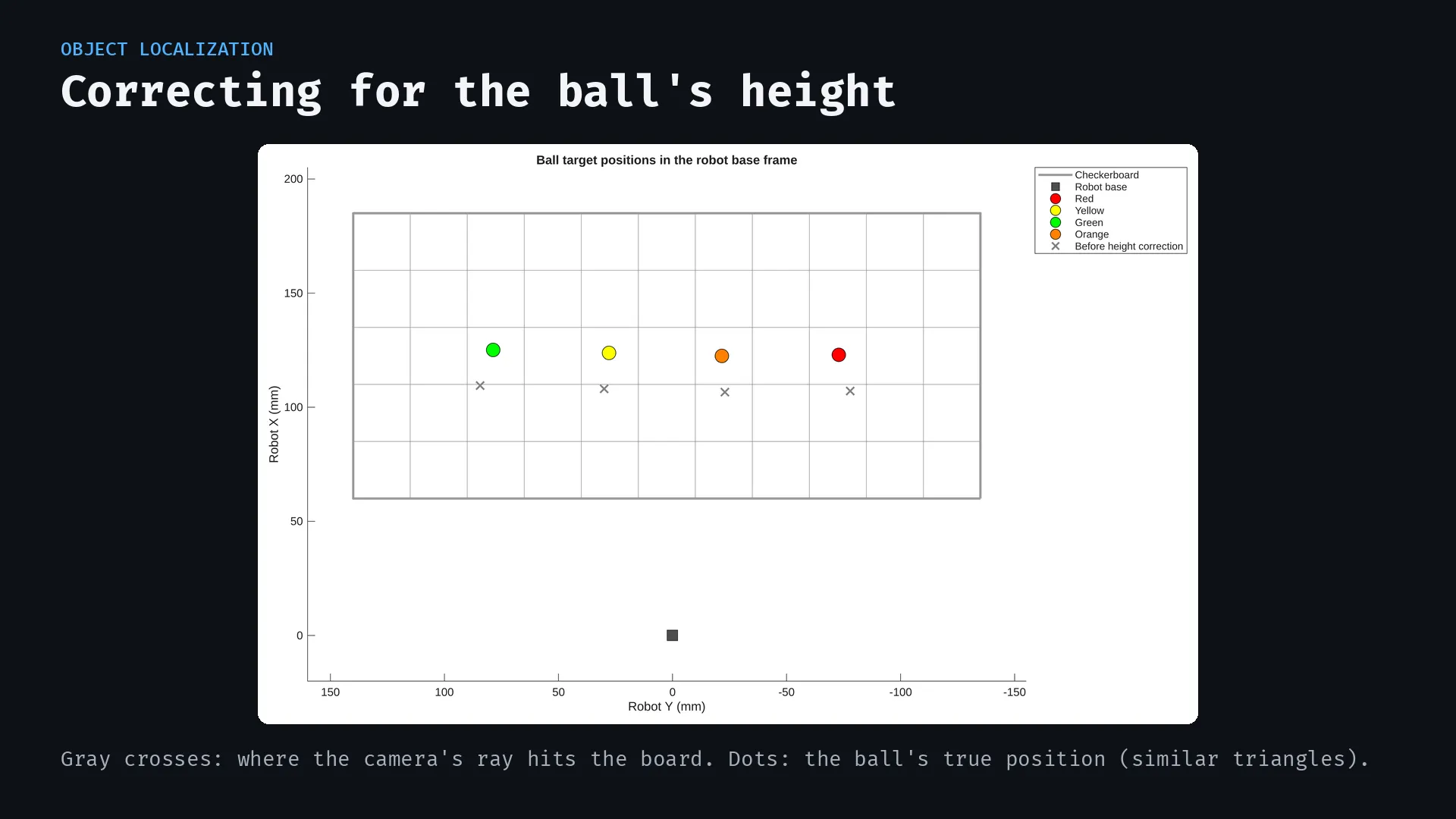
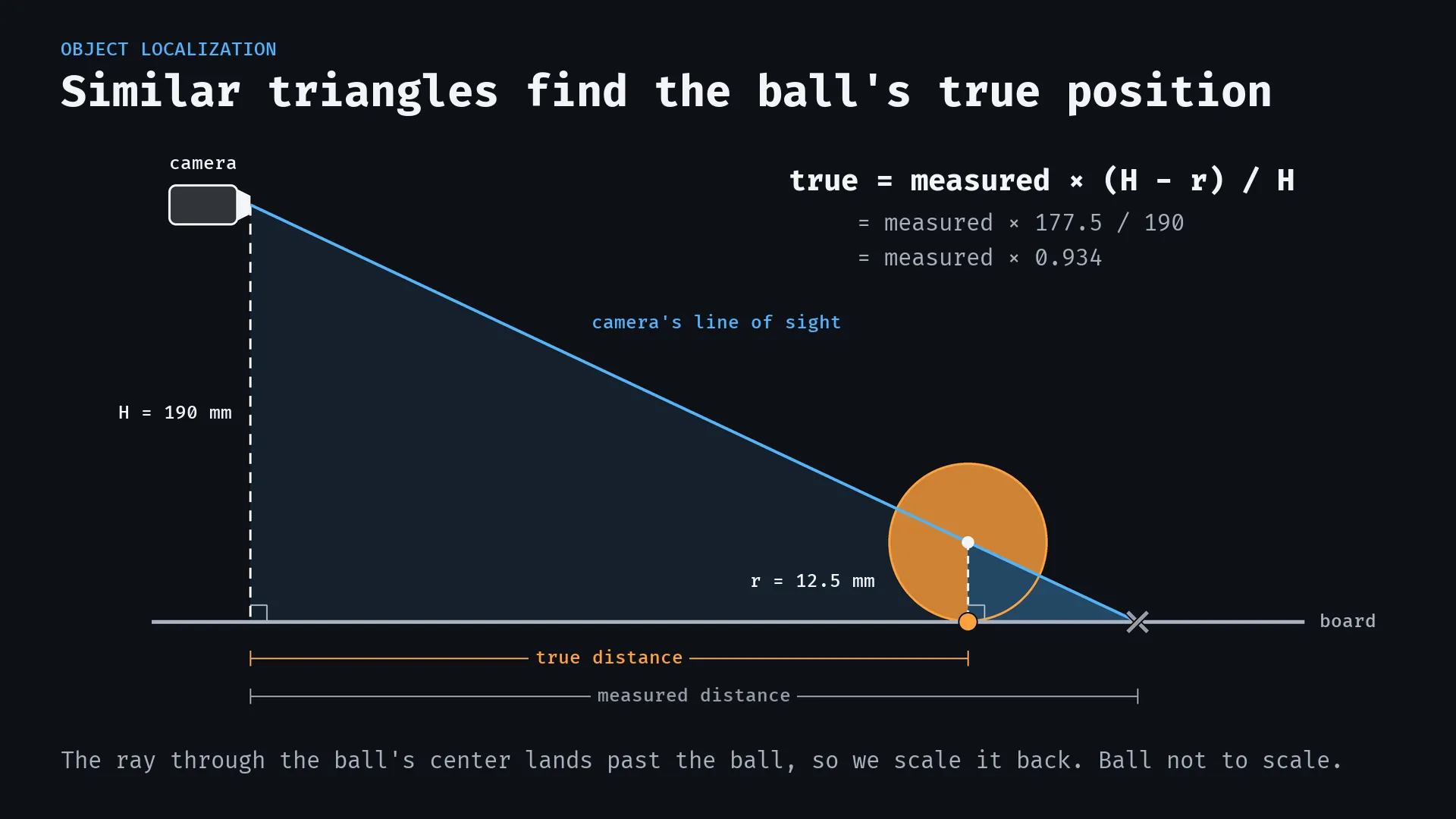
The ball-height problem. Mapping an image point onto the board assumes that point lies on the board's surface. A ball's visible center sits above it, so that assumption puts the estimated pickup position too far from the camera. We corrected the position using similar triangles, the measured camera height, and the ball's 12.5 mm radius. This accounts for the height difference before the position reaches the motion controller.
Finding the balls
The vision pipeline separates detection into a few steps:
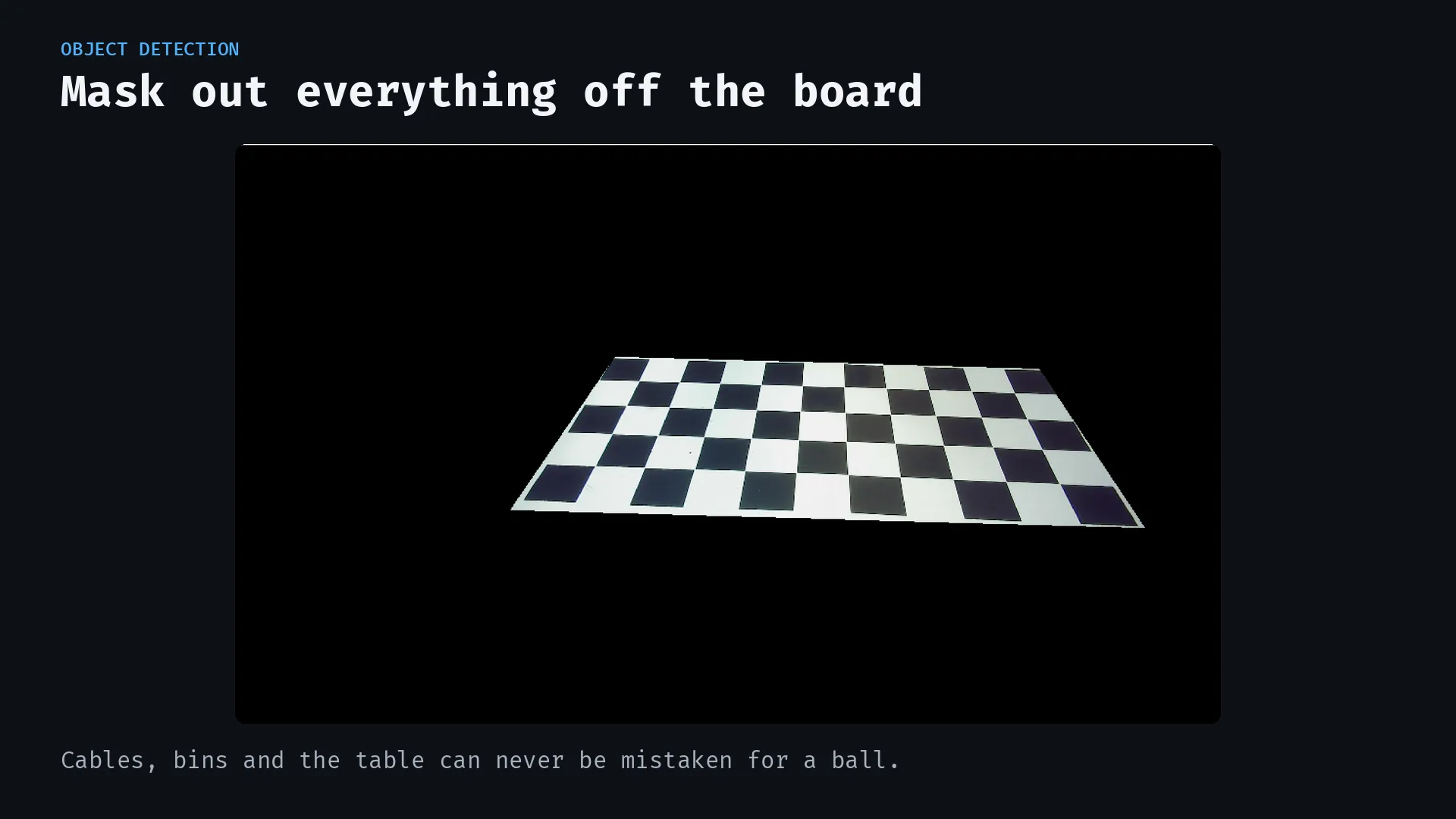
- Limit the workspace. A polygon mask around the checkerboard excludes the surrounding bins, cables, and table.
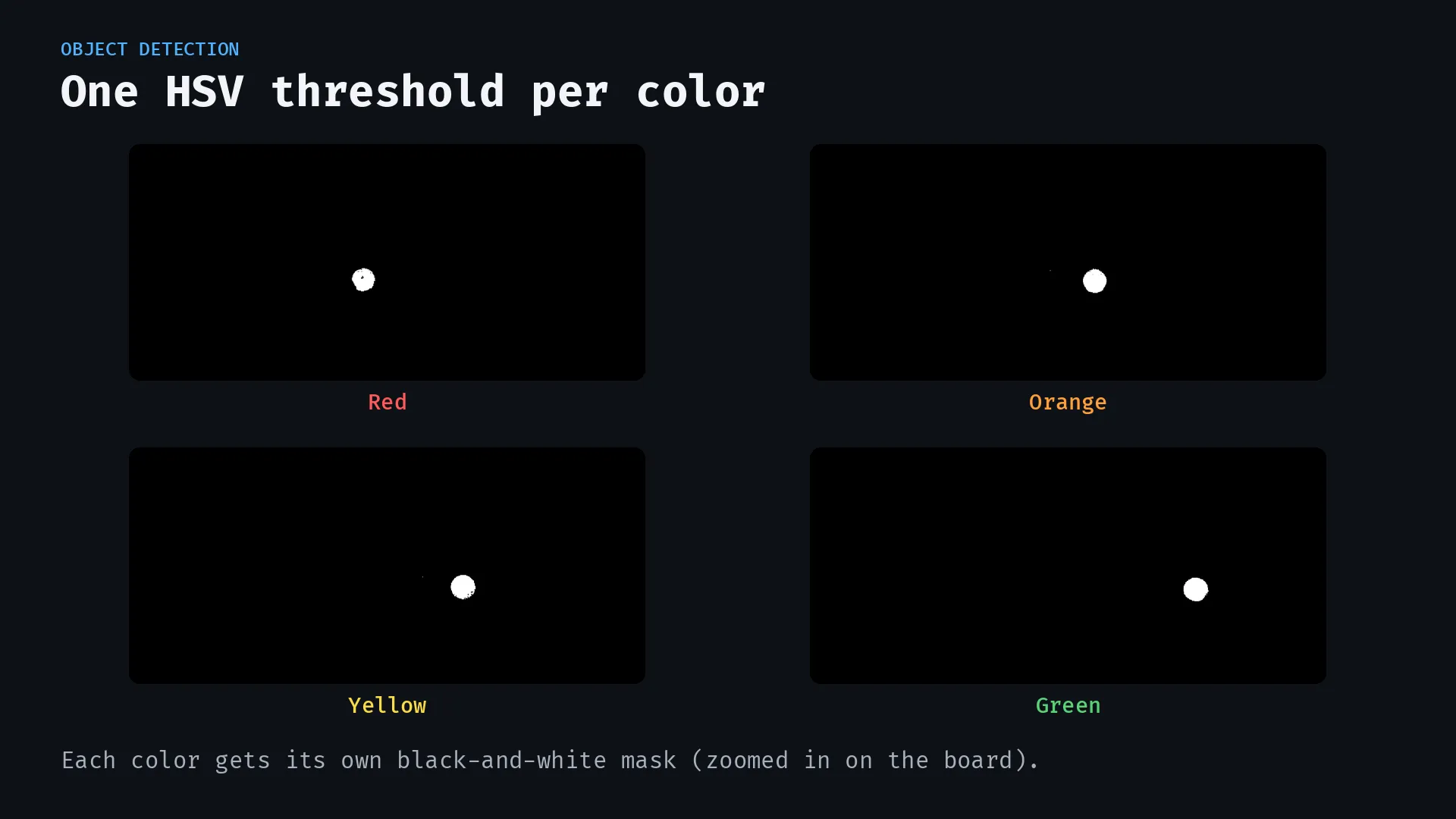
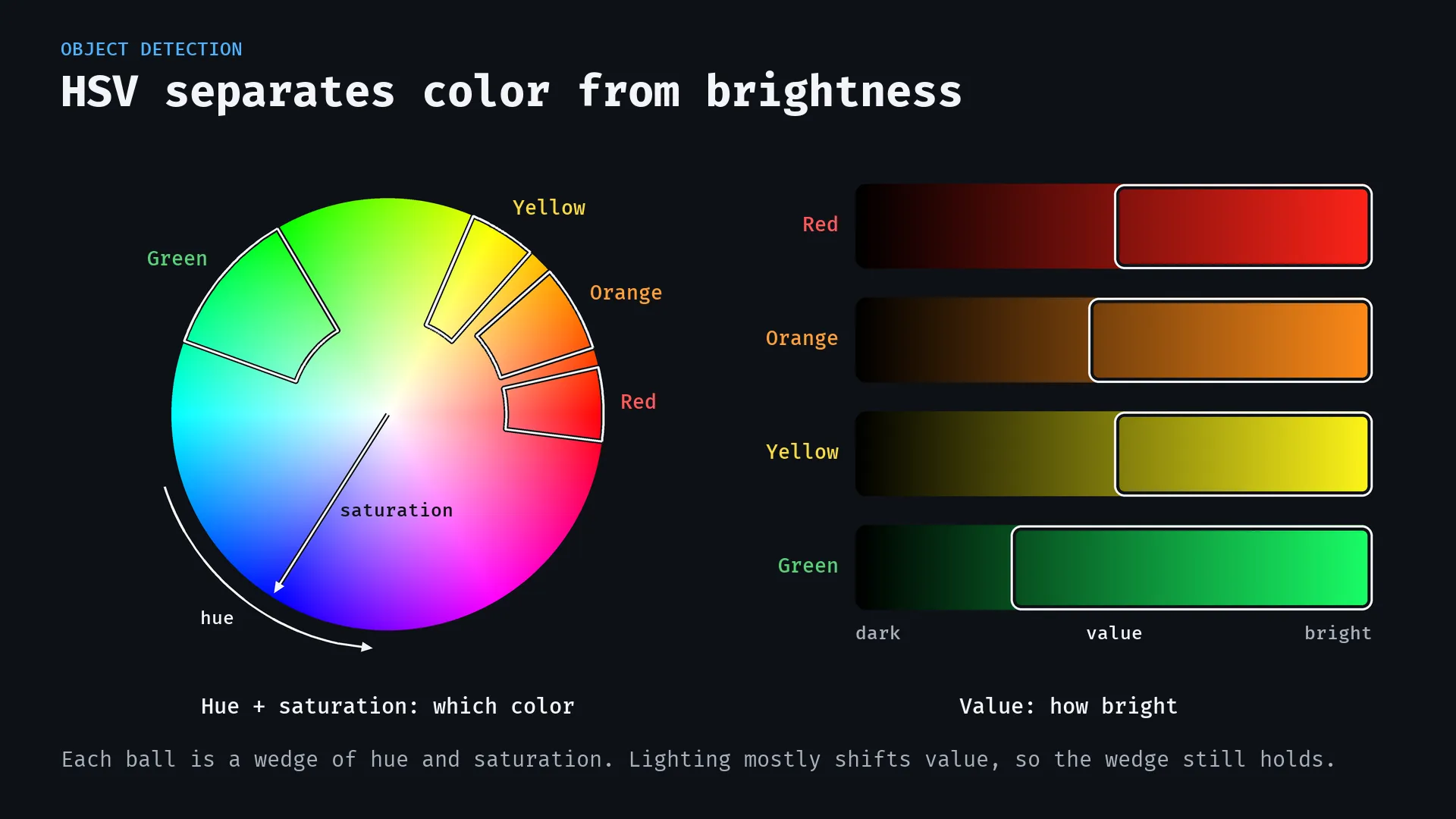
- Separate the colors. Individual HSV thresholds isolate red, yellow, green, and orange balls. We chose HSV because it performed better across the lighting conditions we tested.
- Remove small detections. Blobs smaller than 150 pixels are discarded to filter out stray pixels and noise.
- Find the centers. The centroid of each remaining blob becomes a candidate pickup location, which is transformed into robot coordinates and corrected for ball height.
The sorting loop takes a fresh image after each pick-and-place cycle. This lets it respond to balls being moved or added between cycles without relying on the original arrangement.
Programming the arm
The motion code builds on the forward kinematics, inverse kinematics, and trajectory generation developed throughout the course. A geometric inverse-kinematics solver converts a desired position and gripper pitch into four joint angles, checking elbow configurations against the joint limits.
For each ball, the arm follows a sequence:
- Move above the corrected pickup position.
- Open the gripper and descend vertically.
- Close the gripper and lift the ball clear of the board.
- Move to the bin assigned to that color and release it.
- Pull back toward the workspace to avoid knocking into the bins on the return move.
The pickup keeps the gripper pointed down. Cubic trajectories interpolate the target in task space, and inverse kinematics converts the intermediate poses into joint commands. The trajectory code also supports quintic interpolation.
Final demonstration
The final project video walks through the camera calibration, color masks, coordinate correction, and sorting sequence. The project brings those pieces together into one system: detect a ball, calculate where it is relative to the arm, execute the pickup, and look again for the next target.
Tools and technology
- MATLAB for image processing, coordinate transformations, kinematics, and motion control
- OpenMANIPULATOR-X with DYNAMIXEL servos and a gripper
- Fisheye camera and checkerboard calibration
- HSV color segmentation, connected-component filtering, and centroid detection
- Forward and inverse kinematics, homogeneous transformations, and cubic/quintic trajectory generation