VR Worcester Digital Twin
May 2026-Present
Extended a Worcester digital twin used by city officials with urban heat and heat-vulnerable building visualizations, model insertion/manipulation tools, and a tablet-style UI; upgraded UI/XR systems to Unity 6.3
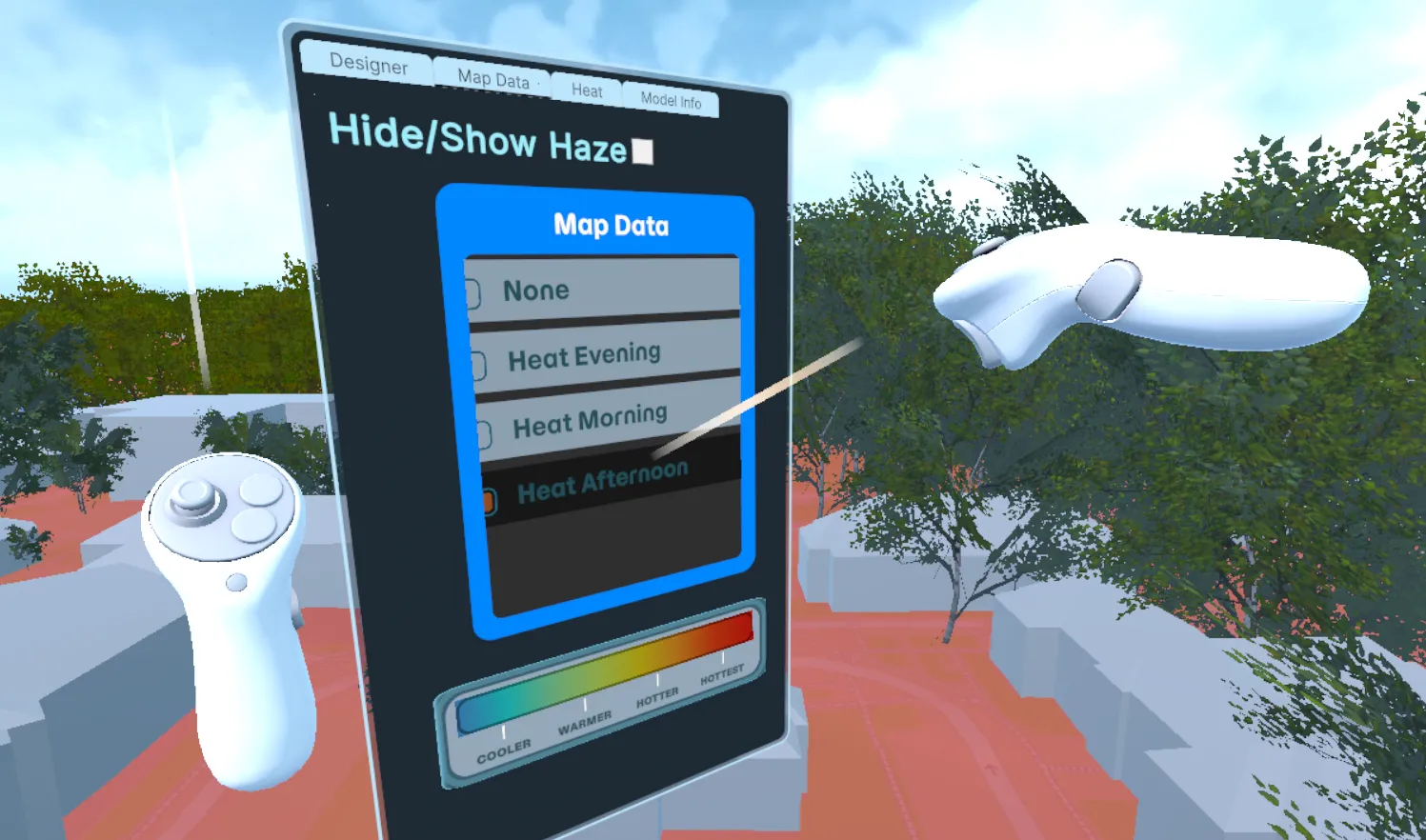
The tablet's Map Data tab: heat overlays for different times of day, a temperature legend, and the haze toggle
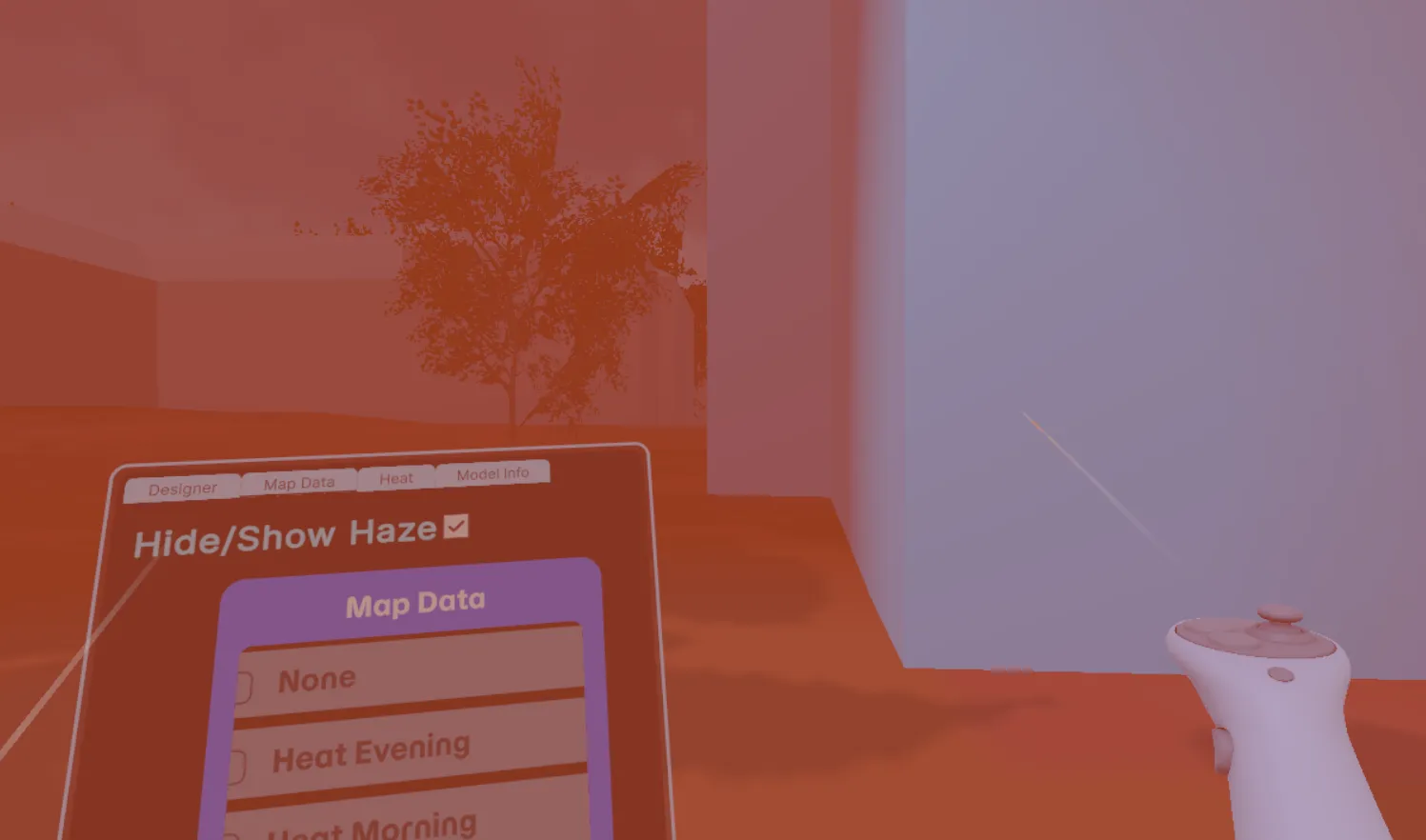
Heat haze at street level. A custom fog shader shows how hot the area is
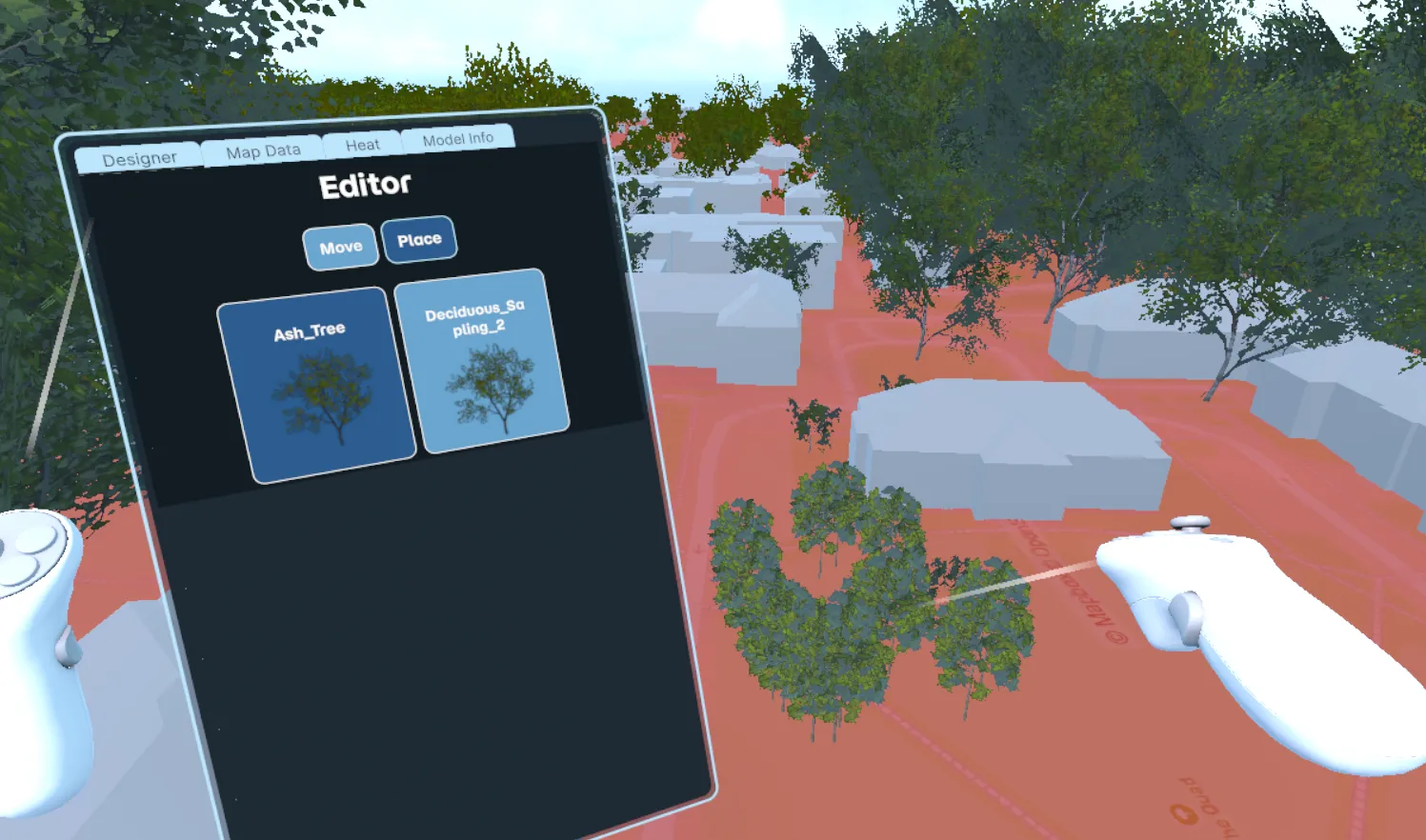
The Designer in Place mode: pick a model from the palette and place it with the controller
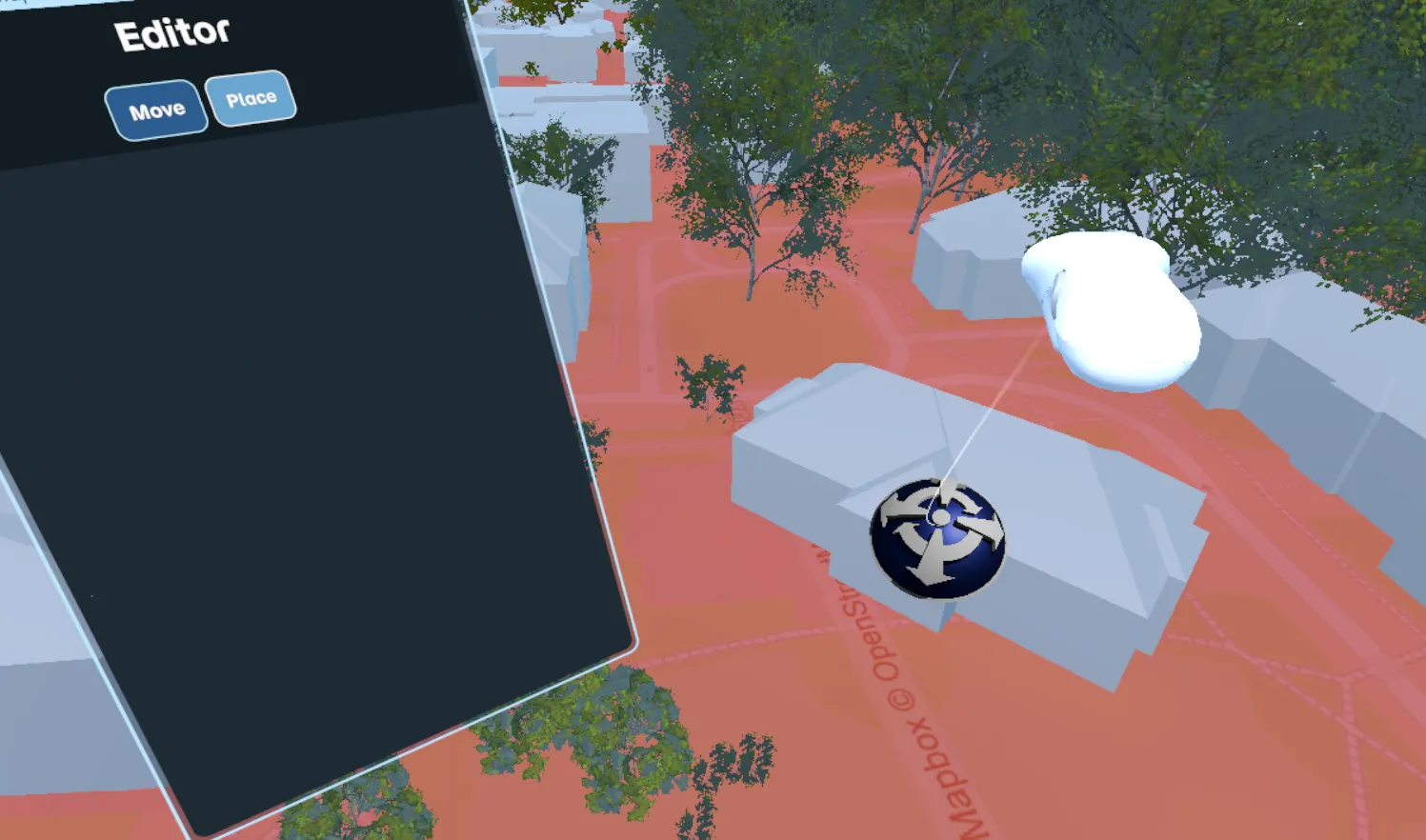
Move mode: grab an existing building or tree, drag it along the ground, and rotate it with the thumbstick
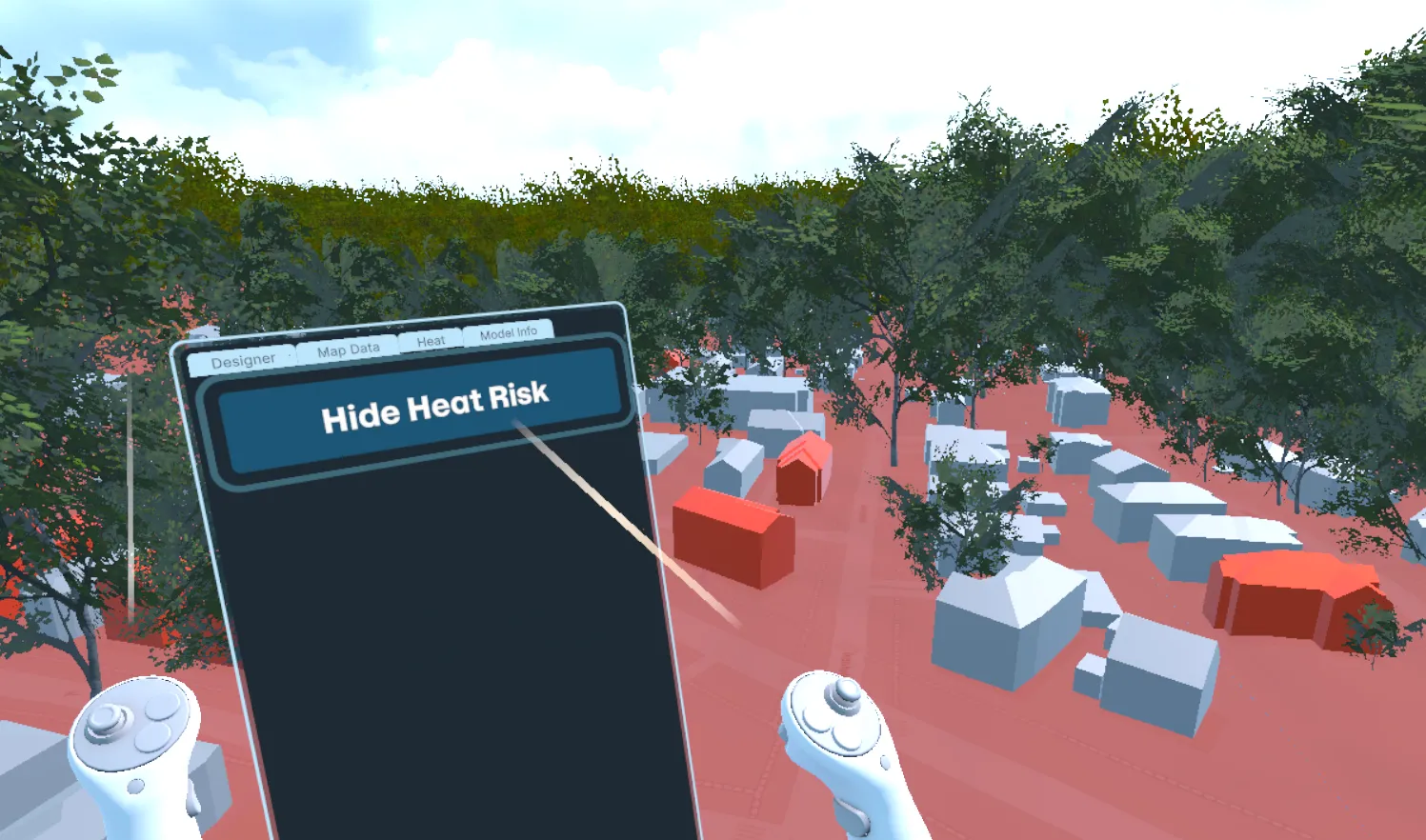
Heat risk view: buildings flagged as heat-vulnerable are tinted red
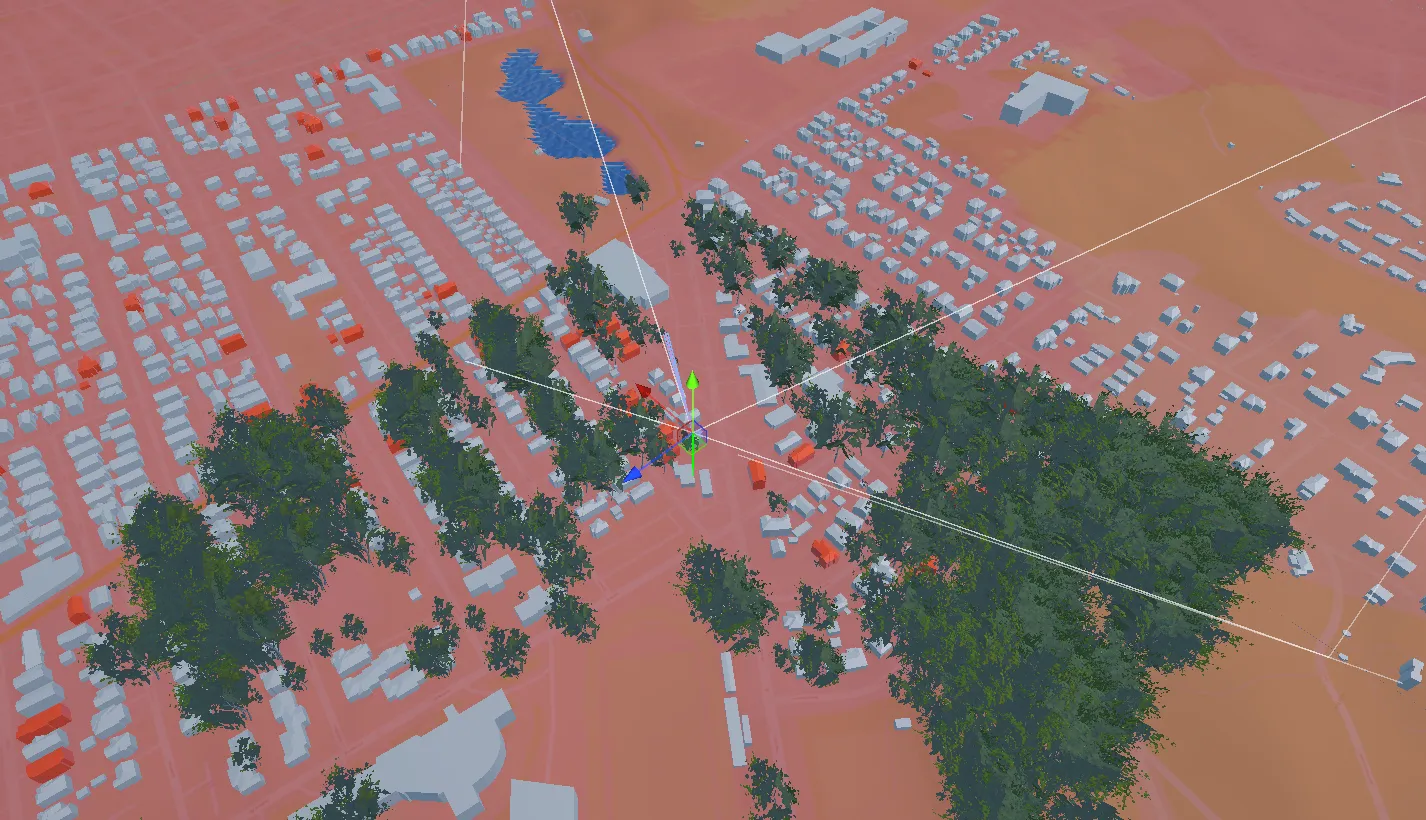
A streamed section of the city in the Unity editor
About this project
As part of my XR Specialist role at The Global Lab at WPI, I work on a VR digital twin of Worcester, MA, built in Unity for the Meta Quest. City officials use it to explore the city and talk through planning decisions. The twin already streamed in Worcester's terrain, buildings, and trees from city data when I joined. My job has been turning it into a tool for studying urban heat and trying out changes to the city.
What I built
Urban heat visualization
- Heat-vulnerable buildings. I added occupancy data to the building import pipeline and flag each building at import time based on occupancy, lack of air conditioning, and building condition. About 3,500 buildings are flagged. They're tinted red and can be turned on and off from the tablet
- Heat map overlays on the terrain for different times of day (morning, afternoon, evening), with a matching temperature legend
- Heat haze. A custom fog shader and ground-fog system that picks up its color from the terrain underneath and uses radial depth, so standing in a hot area feels hot
Designer tools (placing and moving models)
- Place mode. The tablet builds a palette from a list of prefabs (trees and other models). Point at the ground and pull the trigger to place one, and it can be grabbed right away
- Move mode. Hold the trigger to drag any building or tree along the ground and use the thumbstick to rotate it. A translation gizmo stays the same size on screen, and the player can't move while dragging so nobody gets thrown around
- Runtime tree spawning with billboard swapping for distant trees
Tablet UI
- Moved every world-space panel in the player rig from uGUI to UI Toolkit (UXML/USS)
- Combined them into one tablet on the left controller with tabs for Designer, Map Data, Heat, and Building Info
- Panels that follow the player's yaw and always reopen in front of them, whatever their head pose was when the panel was turned on
- Kept changing the layout and wording based on feedback from the project lead and stakeholders
Engine upgrades and fixes
- Upgraded the project to Unity 6.3 LTS and XR Interaction Toolkit 3.3.2. Controller rays couldn't drive the new UI Toolkit panels, so I moved the controllers to near-far interactors and rewired the input actions the upgrade had broken
- Fixed a bug that stopped tree streaming after the first chunk. A dictionary was changed while it was being looped over, which quietly killed the streaming coroutine
- Added a loading bar to the staging area that tracks terrain chunks, buildings, and other assets as they stream in
- Performance on Quest: distant buildings are now drawn as GPU-instanced cubes sized to each building instead of billboards, and I removed unused packages to speed up the editor
What I'm working on right now
- Redesigning the tablet: merging tabs, adding tooltips, and a notification when a building's info is available
- Improving how the city looks from far away and keeping frame rate high on the headset
Tools and technology
- Unity 6.3 LTS (C#), Universal Render Pipeline, Addressables
- XR Interaction Toolkit 3.3.2, OpenXR, Meta Quest (Android)
- UI Toolkit (UXML/USS)
- HLSL/ShaderLab shaders (fog, overlays, imposters)
- Git + Git LFS, Azure DevOps pull requests